
Don't make getting a job a job
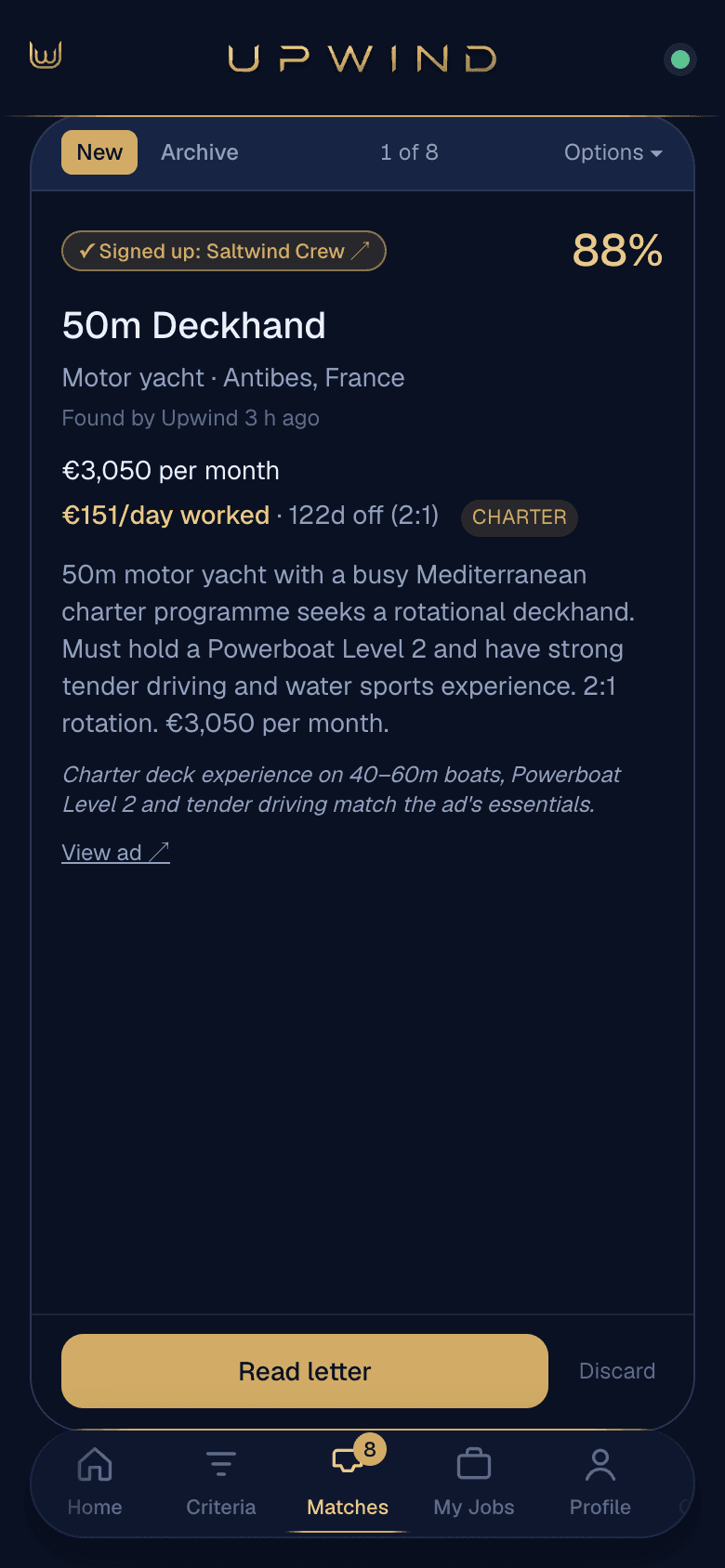
New yacht jobs on your phone.Cover letter one tap away.
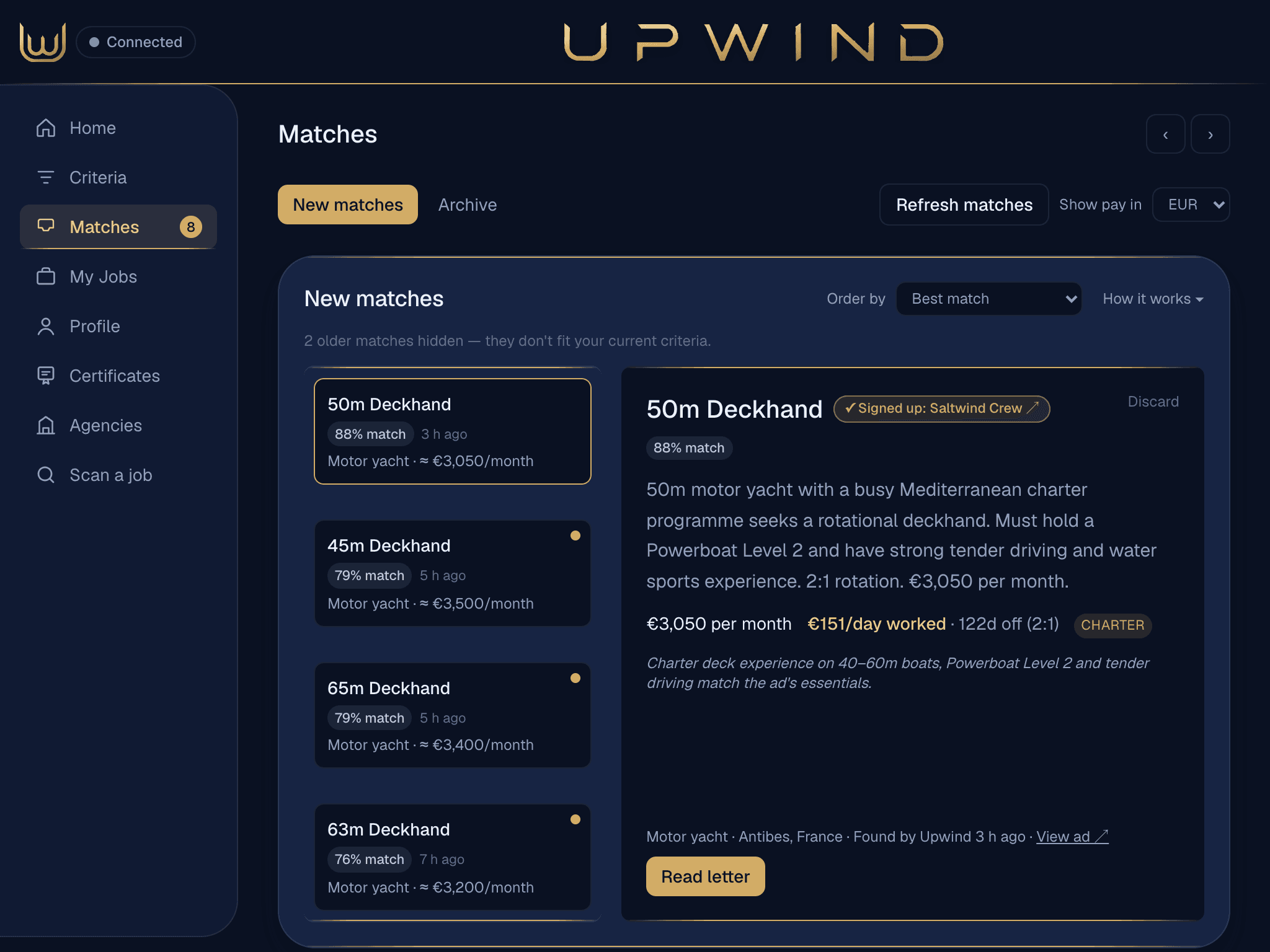
Your laptop checks the job board and drafts the letters. You get a notification, deal with it in a minute, and get back to your day off.
No card needed. Paid plans check every 30 minutes while Chrome is open on your laptop; on the free plan you run scans yourself.
How it works
Up and running in three steps.
- Step 1
Tell it who you are.
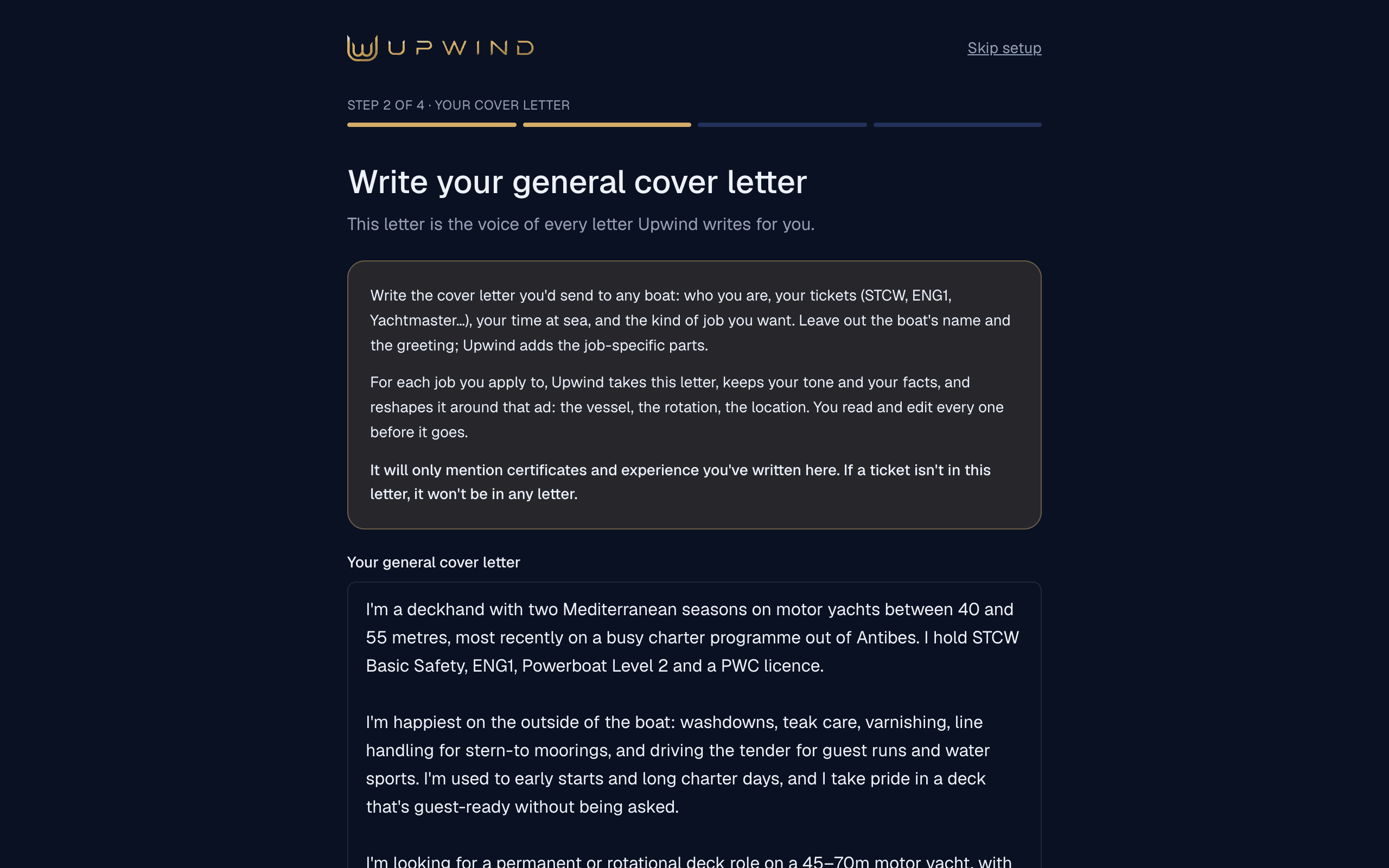
Upload your CV and write one cover letter. Every letter Upwind drafts starts from yours.
- Step 2
Add it to Chrome.
Two clicks on your laptop. It checks the job board from your own logged-in Chrome.
- Step 3
Approve and apply.
New matches arrive scored, with the reason. Read the letter, tweak it, apply.
One review, two applications
The job board and the agency.In one go.
Plenty of yacht jobs are posted by a recruitment agency that takes applications on its own site too. One review sets up both, so your CV gets two sets of eyes instead of one.
The job board
Your cover letter, filled into the application box.
The agency
Their application page, opened with your letter copied.
When the boat posted the job itself, there's no agency to apply to, and Upwind says so. On an agency's site you press send yourself.
When they ask for your documents
Your certificates, attached.In about a minute.
Keep your certificates, passport and visas in Upwind, with their expiry dates. When a boat or agency emails asking for them, paste their email in: Upwind picks out the ones they asked for and drafts your reply.
Their email
Hi Sam,
Thanks for your time today. Could you send over your STCW, ENG1 and passport, and let us know your earliest start date?
The Captain
Paste it into the Certificates tab.
Your reply, drafted
Hi Captain,
Thank you for today. Please find my STCW, ENG1 and passport attached. I can start from___.
Best wishes, Sam
- STCW Basic Safety.pdf
- ENG1.pdf
- Passport.jpg
The right files ticked. Anything Upwind doesn't know is left blank for you, never guessed.
Ready when they ask
Upload once. Upwind reads the name and expiry date from each one.
Missing one?
If they ask for something you haven't uploaded, Upwind tells you.
Sent by you
On a phone, Send opens Mail, Gmail or WhatsApp with the files attached.
Sample email. Upwind never sends anything itself: on a computer the files download next to the drafted email, ready to attach.

Your time off is yours again.
Know if the pay is worth it
€3,050 a monthcan beat €3,500.
Leave runs from 38 days to half the year, so the monthly figure only tells you half of it. Upwind works out what each job pays per day you're actually aboard, where the ad says enough.
Deckhand · €3,500/month · 38 days off
€128
per day worked
Deckhand · €3,050/month · 122 days off
€151
per day worked
The second pays €450 a month less and is worth about €23 more for every day you're aboard.
€3,500 × 12 ÷ (365 − 38) = €128.44 a day · €3,050 × 12 ÷ (365 − 122) = €150.62 a day
Sample from the founder's own job searches. Listings may no longer be open. Tips are not in either figure.
Now try it with your own numbers
The job you're on
or the one you'd be leaving
The job you're considering
the one you're weighing up
€128
per day worked — the job you're on
€151
per day worked — the one you're considering
€3,500 × 12 ÷ (365 − 38) = €128 a day
€3,050 × 12 ÷ (365 − 122) = €151 a day
The job you're considering pays €22 more for every day you're aboard — on a smaller monthly salary.
It would still beat your current day rate down to €2,601 a month, so there is room before it stops being the better deal.
Free, no sign-up. Nothing here is sent anywhere or saved.
Tips aren't in it.
On a busy charter boat they can rival the salary, and on a boat that charters twice a year they can't. Upwind flags charter and leaves tips out rather than inventing a figure.
Days aboard are fed and housed.
Days off aren't, so a day aboard is worth more than a day of pay suggests. Pay per day worked is a fair way to compare two jobs. It is not what you bank.
Plenty of ads say nothing useful.
Many give no salary or no time off. Where an ad says “DOE”, Upwind shows the ad's own words and no number.

Your laptop checks. Your phone tells you.
Mac · iPhone · iPad
An app on every screen.
Your laptop does the checking. Your phone and iPad are where you review and apply.
On your iPad
Room to read the whole letter.
On your iPhone
New matches as notifications.
Add to Home Screen from Safari.
On your Mac
Keep it in your Dock.
Add it from Safari, or install it from Chrome.
In Chrome on your laptop
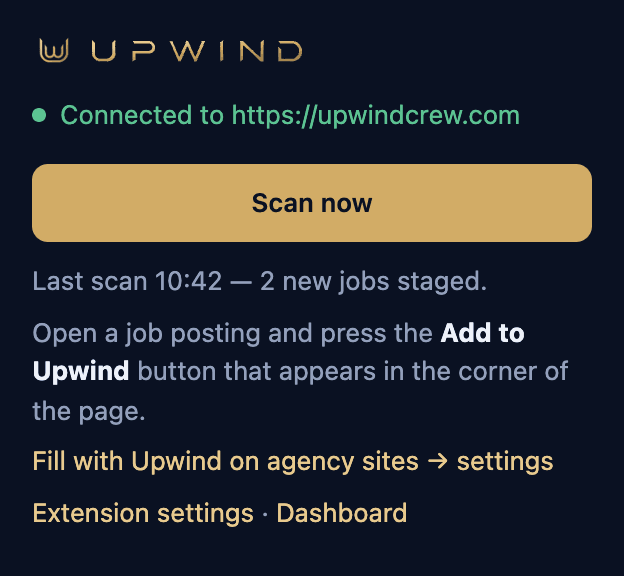
The extension that does the checking.
Free, added once.

And there's more
The small things that save the most time.
Your CV
One new CV, everywhere.
Upload a new CV and Upwind puts it on the agencies it can update, and on your job-board profile on a paid plan. The rest are listed with their site, to tick off as you go.
Approve on your phone
Your laptop sends it.
On a paid plan, approve a job on your phone and your laptop sends it within a few minutes, while Chrome is open there.
Refresh from anywhere
Check now, from your phone.
Press Refresh matches on your phone and your laptop runs a check at its next check-in, a few minutes later.
Agency sites
Their forms, filled in.
On the agency sites you allow, a Fill with Upwind button fills the application form with your details, letter and CV. It never presses submit.
Scan a job
Seen one somewhere else?
Paste the link to any job ad, or the ad itself, and Upwind scores it against your profile and writes the letter.
Screening answers
Answer them once.
The questions every application asks, saved and reused whenever the same one comes up again.
Your agencies
Already signed up? It knows.
Switch on the agencies you're registered with, and a match shows when one of them posted the job.
Your job market
See what boats are asking for.
Which tickets your matches ask for, what they pay, and which days new matches tend to turn up.
Your currency
Pay the way you think about it.
Salaries shown in euros, dollars, pounds, Australian, New Zealand or Canadian dollars, rand or francs.
Plainly
What Upwind will and won't do.
The AI does
- Score each match against your bio
- Draft the cover letter
- Work out pay per day worked, where the ad says enough
The AI doesn't
- Invent a pay figure
- Claim listed certificates your letter doesn't state
- Submit an application on an agency's site
- Promise you'll beat other applicants
Chrome doesn't
- Check anything while your laptop is shut
- Run on a phone
- See listings older than “Posted Today” in the background

You stay at the helm.
Privacy
Your job-board login stays yours.
The extension works inside the Chrome you're already logged in to. It reads the job pages, sends the job text to Upwind to score and write, fills the cover-letter box when you apply, and uploads your CV where you ask it to. Upwind never sees or stores your job-board or agency passwords.
Your Chrome
logged in to your job board
Upwind extension
reads the job pages you can see
Upwind servers
receive the job text; score your matches; draft your letter
Anthropic (Claude)
reads your bio and the job text to write
What it's allowed to touch
- storage
- alarms
- tabs
- scripting
- job-board pages
- upwindcrew.com
- agency sites you allow
The extension runs in Chrome on a computer. Open upwindcrew.com there to add it.
The risk, plainly
Upwind is an independent tool, not part of any job board. Some job boards don't allow automated tools, and one could restrict an account that uses Upwind, so using it is your call. Sites also change, which can stop scanning or applying working until Upwind catches up.
Leave any time
No contract. Remove the extension whenever you like, and cancel a paid plan in a couple of clicks from the app. Want your account deleted too? Just email support@upwindcrew.com.
The beach, padel, your mates. Not five hours on job boards.

Why Upwind
Your time off is too short to spend job hunting.
On board there's no time to yourself. So spending your time off refreshing job boards, reading twenty ads that say “DOE” and writing the same cover letter again makes no sense.
Upwind was built by a working deckhand so you can go to the beach, play padel and see your mates. A match comes in, you deal with it in a minute, and your laptop does the rest. You still have to be the right candidate and pass the interview. Upwind just takes the boring work out of finding the job.
It's new, so there are no reviews yet.
More about UpwindPricing
Free to start. Pay only while you're looking.
Every paid plan includes the same features. Pick the one that fits how long you're looking.
Free
€0
no card
- Try it on your own jobs
- 3 cover letters and 20 scored jobs, in total
- Scan now by hand
1-day pass
€4
once
One-off payment for 24 hours. It doesn't renew.
7-day pass
€12
once
One-off payment for 7 days. It doesn't renew.
Monthly
€19
a month
Renews every month until you cancel.
Season Pass
€45
every 3 months
Renews every 3 months until you cancel. Works out at €15 a month.
Every paid plan includes automatic checks every 30 minutes while Chrome is open on your laptop, a push to your phone when a check finds a new match, and up to 300 cover letters a month.
Get started — freeChoose a paid plan inside the app whenever you're ready.
FAQ
Questions crew ask first.
Does Upwind submit anything without me seeing it?
No. Nothing is sent until you've read a job's cover letter and pressed “Approve”. Then “Apply” sends it, or on a paid plan your laptop can send each approved job for you. On an agency's site, Upwind opens the page and can fill in the form, but you press submit.
Does Upwind have my job-board password?
No. The extension works inside your own logged-in Chrome.
Which job board does it work with?
Yotspot, through your own account. Upwind is an independent tool and isn't connected to or endorsed by Yotspot or any recruitment agency.
Does it work on my phone?
Partly. On a phone you can sign up, review matches, edit letters, apply and get notifications. Scanning needs Chrome on a computer.
What does “automatic” mean here?
Checks run while desktop Chrome is open and awake, for listings posted that day. A manual “Scan now” reaches back 1, 7 or 30 days.
Will it get me the job?
No tool can promise that. Upwind has no data on other applicants and can't promise you'll stand out from them.
Why not just use the job board's own alerts?
You can. Upwind adds the score against your bio, the pay per day worked, the drafted letter, and the agency's page opened alongside.
What happens if the AI part is unavailable?
Matches and applying still work. Scoring and letters say “temporarily unavailable” until it's back.

Don't make getting a job a job.
Free to sign up, no card. Paid plans from €4.